
Download Pagestacks – AI‑Powered Landing Page Builder for SaaS, Free Trial, Secure & Fast
Overview
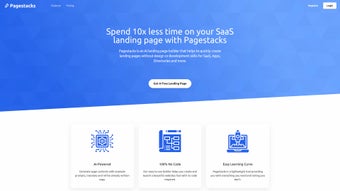
Pagestacks is a cloud‑based, AI‑driven SaaS platform that transforms the traditionally time‑consuming task of landing‑page creation into a matter of minutes. Built for SaaS product developers, marketers, and growth‑focused teams, the service blends an intuitive drag‑and‑drop editor with smart automation tools that handle layout, copy suggestions, and conversion‑focused design elements. The core promise is operational efficiency: by removing the need for extensive front‑end coding or reliance on design agencies, teams can launch, test, and iterate landing pages at a fraction of the usual cost and effort.
The user interface is clean, web‑based, and requires JavaScript to be enabled – a standard requirement for modern web applications. Once logged in, users are guided through a wizard that asks for the product name, target audience, and primary conversion goal (e.g., sign‑up, demo request, or purchase). From there, Pagestacks generates a fully responsive page, complete with SEO‑friendly meta tags, fast‑loading assets, and integrated analytics.
While the platform shines brightest for SaaS offerings, its flexible template library can accommodate a wide range of industries, from fintech to e‑learning. Deep personalization, such as dynamic content based on user behavior, remains limited compared to fully custom‑coded solutions, but the speed and consistency delivered by the AI engine often outweigh this restriction for fast‑moving businesses. Security is baked in, with SSL encryption and GDPR‑compliant data handling, ensuring that every published page meets modern privacy standards.
Overall, Pagestacks positions itself as a single pane of glass for the entire landing‑page lifecycle—from concept to conversion—making it an attractive option for teams that value speed without sacrificing quality.
Key Features & Benefits
- AI‑Generated Layouts: Automatically suggests high‑converting structures based on industry benchmarks.
- Drag‑and‑Drop Builder: No coding required; edit text, images, and forms with a visual interface.
- Responsive Design: Every page adapts flawlessly to desktop, tablet, and mobile devices.
- Built‑In SEO Tools: Auto‑filled meta titles, descriptions, and schema markup to improve search visibility.
- Conversion Optimizer: A/B testing module and heat‑map insights integrated directly into the dashboard.
- Template Library: Over 150 pre‑designed templates tailored for SaaS, B2B, and product launches.
- One‑Click Publishing: Deploy to a custom sub‑domain or connect your own domain instantly.
- Analytics & Integrations: Native support for Google Analytics, HubSpot, Mailchimp, Zapier, and major CRMs.
- Secure Hosting: SSL certificates and GDPR‑compliant data handling are included in every plan.
- Team Collaboration: Role‑based access, version history, and comment threads keep teams aligned.
These features translate directly into measurable business outcomes. The AI layout engine reduces the average creation time from 4–6 hours (manual) to under 15 minutes, freeing design resources for higher‑impact tasks such as campaign strategy. Built‑in SEO and conversion tools mean that landing pages are not only attractive but also primed for organic traffic and higher click‑through rates.
Integrated analytics give marketers the data they need to iterate quickly, driving continuous improvement without leaving the platform. The template library provides industry‑specific starting points, while the drag‑and‑drop editor allows brand‑specific customisation, ensuring each page feels unique despite the speed of production. Collaboration features reduce hand‑off friction between designers, copywriters, and product managers, accelerating approvals and launch cycles.
In short, Pagestacks serves as a single pane of glass for the entire landing‑page lifecycle—from concept to conversion—delivering speed, consistency, and data‑driven optimisation in one secure package.
Installation, Usage & Compatibility
Getting Started
Because Pagestacks is a web‑based SaaS solution, there is no traditional “installation” process. Users simply navigate to pagestacks.com, click “Start Free Trial,” and create an account using an email address or single‑sign‑on (SSO) via Google or Microsoft. After confirming the email, the dashboard appears, and an onboarding wizard guides users through the first page creation, asking for product name, tagline, primary CTA, and target audience. The wizard then leverages the AI engine to propose a layout that matches the entered criteria.
Step‑by‑Step Workflow
- Select a Template: Choose from the library or let the AI suggest a starting point based on your product category.
- Input Core Details: Enter product name, tagline, primary CTA, and any supporting copy.
- Customize Visuals: Replace placeholder images, adjust color schemes, and upload your logo.
- Configure Integrations: Connect your email marketing tool, CRM, or analytics platform.
- Preview & Test: Use the built‑in preview mode to see how the page looks on desktop, tablet, and mobile.
- Publish: Click “Publish,” choose a sub‑domain (e.g., myproduct.pagestacks.com) or map a custom domain, and go live.
- Monitor & Optimize: Track conversion metrics, run A/B tests, and refine copy or design as needed.
Operating System & Browser Support
As a cloud service, Pagestacks works on any operating system that can run a modern web browser. It has been tested on Windows 10/11, macOS Ventura and later, Chrome, Firefox, Safari, and Edge. Mobile browsers on Android 9+ and iOS 13+ also support the full editor, though a larger screen provides a more comfortable design experience. Because the platform is web‑based, there are no client‑side updates to manage; the service is continuously refreshed on the server side.
Security & Automatic Updates
All data transmitted between the user’s browser and Pagestacks servers is encrypted via HTTPS/SSL. The platform receives automatic updates and feature releases without user intervention, ensuring that the latest AI models and security patches are always in place. Users do not need to worry about manual patching or compatibility issues; the service is continuously maintained by the Pagestacks development team, providing a secure and up‑to‑date environment for every landing page.
Pros, Cons, FAQ & Conclusion
Pros
- Rapid page creation – minutes instead of hours.
- AI‑driven design recommendations improve conversion potential.
- No coding required; ideal for non‑technical marketers.
- Responsive templates guarantee mobile‑friendly layouts.
- Integrated SEO and analytics reduce the need for third‑party tools.
- Secure, SSL‑enabled hosting included in all plans.
- Team collaboration features streamline workflow for larger organizations.
- One‑click domain mapping simplifies publishing.
- Extensive integration library accelerates data flow.
- Continuous automatic updates keep the platform current.
Cons
- Limited deep personalization; dynamic content based on user behavior is not native.
- Offline editing is unavailable – requires an internet connection.
- Pricing can be higher than basic landing‑page builders for small startups.
- Template library, while extensive, may feel restrictive for designers seeking total creative freedom.
- Advanced A/B testing features are only available on higher‑tier plans.
FAQ (FAQPage)
Is there a free version of Pagestacks?
Pagestacks offers a 14‑day free trial with full feature access. After the trial, you can choose from monthly or annual subscription plans; there is no permanently free tier.
Can I use my own domain for published pages?
Yes. Pagestacks supports custom domain mapping. You simply add a CNAME record pointing to Pagestacks’ servers and verify ownership within the dashboard.
How does Pagestacks handle SEO?
Each page is automatically populated with SEO‑friendly meta titles, descriptions, and JSON‑LD schema markup. Users can also edit these fields manually for finer control.
Is there a limit to the number of landing pages I can create?
The number of pages depends on your subscription tier. The basic plan allows up to 10 pages, while professional and enterprise plans offer unlimited pages.
What integrations are available out of the box?
Pagestacks integrates with Google Analytics, HubSpot, Mailchimp, Zapier, and several major CRMs. New integrations are added regularly based on user demand.
Overall Review
Rating: ★★★★☆ (4.3/5)
Summary: Pagestacks delivers a powerful, AI‑enhanced landing‑page creation experience that dramatically cuts development time and boosts conversion potential for SaaS businesses. While it lacks some deep‑customization options, its ease of use, built‑in SEO, and secure hosting make it a compelling choice for teams looking to scale their online presence quickly.
Conclusion & Call to Action
If you’re a SaaS founder, marketer, or product team member tired of juggling designers, developers, and endless revisions, Pagestacks offers a streamlined, secure, and conversion‑focused solution that can be up and running in minutes. The AI‑driven design engine, combined with native SEO and analytics, provides a solid foundation for any landing‑page strategy. While power users may miss granular personalization, the trade‑off for speed and simplicity is well worth it for most businesses.
Ready to accelerate your lead‑generation funnel? Start your free trial today, explore the template library, and see how quickly you can launch a high‑performing landing page that converts visitors into customers.



.png)



